








Determining the right RPM (Revolutions Per Minute) for your acrylic router bits is a crucial aspect of achieving optimal results in your acrylic machining projects. As a supplier of Acrylic Router Bits, I've witnessed firsthand the impact that the correct RPM can have on the quality, efficiency, and longevity of your tools and the final product. In this blog, I'll share some insights into how you can determine the right RPM for your acrylic router bits.
Understanding the Basics of RPM in Acrylic Routing
RPM refers to the number of complete rotations a router bit makes in one minute. The RPM at which you operate your router bit significantly affects the cutting process. Too high an RPM can cause excessive heat, which may lead to melting or burning of the acrylic, as well as premature wear and tear on the bit. On the other hand, too low an RPM can result in a rough cut, increased chipping, and inefficient material removal.
Factors Affecting the Ideal RPM
Bit Diameter
The diameter of the acrylic router bit is one of the most important factors in determining the appropriate RPM. Generally, larger diameter bits require lower RPMs, while smaller diameter bits can handle higher RPMs. This is because the outer edge of a larger bit travels a greater distance in one rotation compared to a smaller bit. For example, a Lock Hole Router Bit with a larger diameter will need a lower RPM to maintain a safe and effective cutting speed.


Acrylic Thickness
The thickness of the acrylic material also plays a role in determining the RPM. Thicker acrylic requires more power to cut through, and running the bit at too high an RPM can cause excessive stress on the bit and the router. As a rule of thumb, for thicker acrylic, you may need to reduce the RPM slightly to ensure a smooth and clean cut.
Router Power
The power of your router is another crucial factor. A more powerful router can handle higher RPMs and more demanding cutting tasks. If you have a high - power router, you may be able to operate the bit at a slightly higher RPM compared to a lower - power one. However, it's important not to push the router beyond its limits, as this can lead to overheating and damage.
Calculating the Right RPM
There are several ways to calculate the appropriate RPM for your acrylic router bits. One common method is to use the formula for surface speed (SFM - Surface Feet per Minute). The formula for calculating RPM based on SFM is:
[RPM=\frac{SFM\times 12}{\pi\times D}]
where (SFM) is the recommended surface speed for acrylic, (D) is the diameter of the router bit in inches, and (\pi) is approximately 3.14.
The recommended SFM for acrylic typically ranges from 1000 to 2000 SFM. For example, if you have a Double - ended Spiral Saw Bit with a diameter of 1 inch and you choose an SFM of 1500, the calculation would be:
[RPM=\frac{1500\times 12}{3.14\times 1}\approx5732]
However, it's important to note that this is just a theoretical calculation, and in practice, you may need to make some adjustments based on the other factors mentioned above.
Testing and Adjusting
Once you've calculated an initial RPM, it's a good idea to perform some test cuts on a scrap piece of acrylic. Observe the quality of the cut, the amount of heat generated, and the performance of the bit. If the cut is rough or there is excessive chipping, you may need to increase the RPM slightly. If the acrylic starts to melt or the bit seems to be overheating, you should reduce the RPM.
Importance of Using High - Quality Router Bits
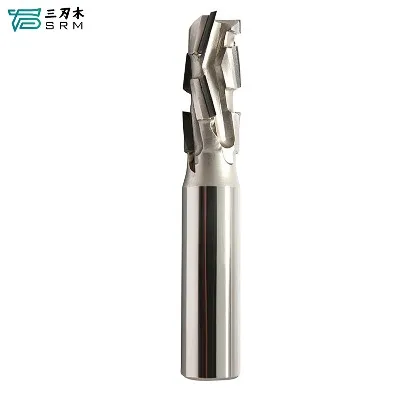
Using high - quality acrylic router bits is essential for achieving the best results at the right RPM. Our Straight Bit with Chip Breaker is designed to provide clean and efficient cuts in acrylic. High - quality bits are made from durable materials, such as solid carbide, which can withstand the high - speed rotations and the forces involved in acrylic routing. They also have sharp cutting edges that can maintain their performance over a longer period, reducing the need for frequent bit changes.
Safety Considerations
When working with acrylic router bits at high RPMs, safety should always be a top priority. Make sure to wear appropriate safety gear, including safety glasses, ear protection, and a dust mask. Keep your work area clean and free of debris, and ensure that the router is securely mounted. Also, be aware of the potential for kickback, which can occur if the bit binds or catches in the material.
Conclusion
Determining the right RPM for your acrylic router bits is a combination of understanding the basic principles, considering the various factors that affect RPM, and performing some practical testing. By taking the time to calculate and adjust the RPM correctly, you can achieve high - quality cuts, extend the life of your router bits, and ensure a safe and efficient working environment.
If you're in the market for high - quality acrylic router bits or have any questions about determining the right RPM for your specific application, please don't hesitate to contact us. We're here to help you make the most of your acrylic routing projects.
References
- Woodworking Machinery and Tool Association (WMTA) guidelines on router bit operation.
- Manufacturer's specifications for acrylic router bits.


